
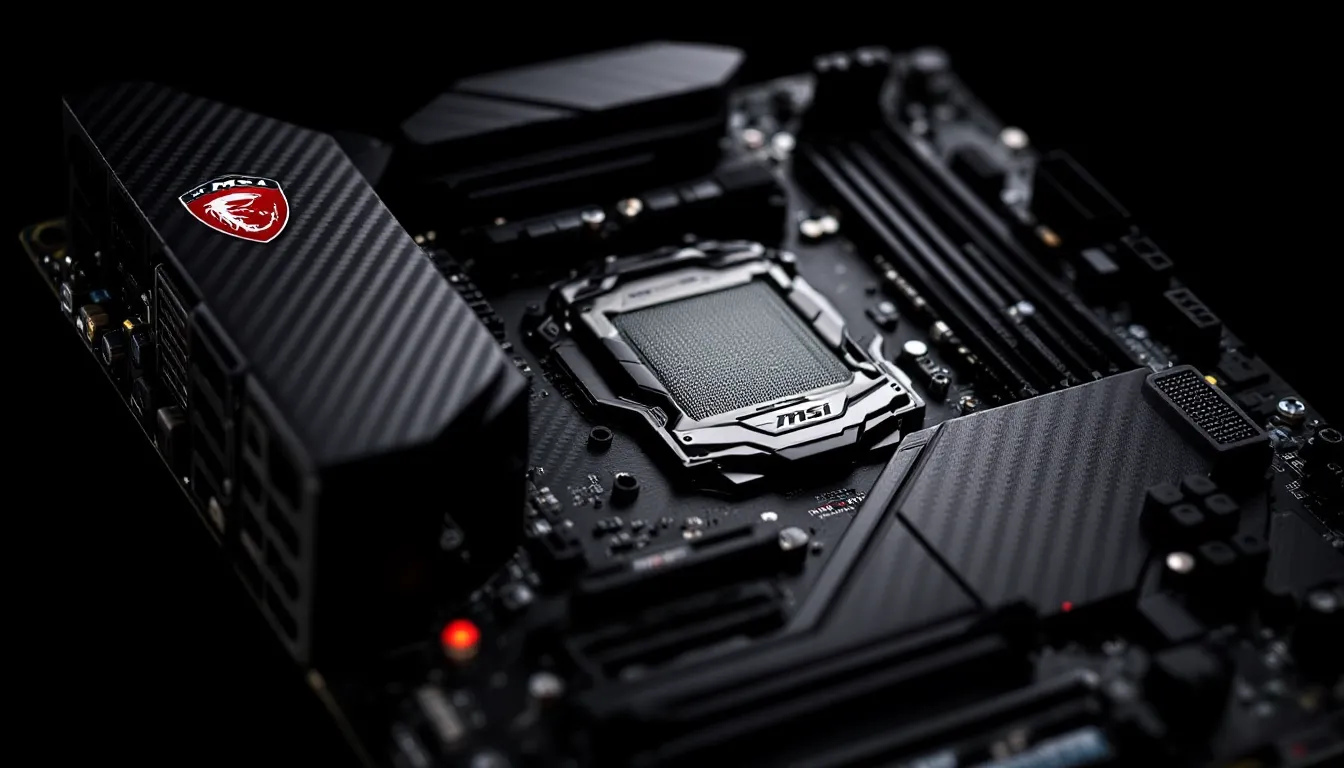

The MSI MPG Z390 Gaming Pro Carbon hit shelves back in late 2018 as a premium mid-range board targeting Intel’s 8th and 9th Gen processors. Fast forward to 2026, and you’re probably wondering whether this aging platform still holds any value for budget-conscious builders or those looking to squeeze more life out of their existing Coffee Lake chips. The Z390 chipset was Intel’s last hurrah before they moved on to newer sockets and architectures, but that doesn’t automatically make every board from that era obsolete.
Here’s the thing: while the msi z390 gaming pro carbon won’t support DDR5 or PCIe 5.0, it still packs features that were considered premium for its time, carbon fiber aesthetics, solid VRM design, and RGB integration that doesn’t look dated. If you’ve got an i7-9700K or i9-9900K sitting around, or you’re eyeing a cheap used CPU upgrade path, this board might deserve a second look. But is it actually worth hunting down in 2026, or should you just invest in a modern platform? Let’s break down what this motherboard offers, how it performs today, and who it actually makes sense for.
Key Takeaways
- The MSI MPG Z390 Gaming Pro Carbon remains viable for 1080p and 1440p gaming with 9th Gen Intel CPUs, but offers no upgrade path beyond 8-core processors or support for DDR5 and PCIe 5.0.
- This Z390 motherboard is best suited for budget builders using existing Coffee Lake hardware or sourcing cheap used 9900K chips, with expected pricing around $80-90 on the 2026 used market.
- The board’s solid VRM design, comprehensive BIOS controls, and premium aesthetics hold up well, though the lack of onboard WiFi and outdated storage/memory standards limit long-term viability.
- Skip the MSI MPG Z390 Gaming Pro Carbon if you’re building a new primary gaming rig—modern B760 or B650 boards offer better features, warranty support, and actual upgrade paths.
- For existing Z390 platform users or secondary/streaming PC builds, this motherboard delivers respectable gaming performance and overclocking headroom, but should not be treated as a long-term investment.
What Is the MSI MPG Z390 Gaming Pro Carbon?
The MSI MPG Z390 Gaming Pro Carbon is an ATX motherboard built around Intel’s Z390 chipset, designed for LGA 1151 socket processors from Intel’s 8th and 9th generation Core lineup. It launched alongside the i9-9900K in October 2018 and positioned itself as a stylish enthusiast option that didn’t quite hit flagship pricing but offered more polish than bare-bones Z390 boards.
MSI marketed this board heavily toward gamers who cared about aesthetics, hence the carbon fiber-inspired finish and integrated RGB lighting zones. The “MPG” branding sits in MSI’s middle tier, above their Arsenal Gaming boards but below the MEG (Enthusiast Gaming) series. It featured a 12-phase power design, dual M.2 slots with heat shields, USB 3.1 Gen2 Type-C, and support for up to 128GB of DDR4 RAM at speeds reaching 4400MHz with overclocking.
In its heyday, the mpg z390 gaming pro carbon competed directly with boards like the ASUS ROG Strix Z390-E and Gigabyte Z390 Aorus Pro. It typically retailed around $200-220, which placed it in that sweet spot where you got premium features without bleeding-edge pricing. The board supported both Intel Optane memory and RAID configurations, though most gamers ignored those features in favor of straight NVMe storage.
Key Specifications and Features
Chipset and CPU Compatibility
The Z390 chipset brings 24 PCIe 3.0 lanes from the chipset itself, working alongside the 16 lanes provided directly by the CPU. For CPU compatibility, you’re locked to Intel’s 8th and 9th Gen Core processors, think i3-8100, i5-9600K, i7-9700K, and the flagship i9-9900K/KS. These chips still deliver respectable gaming performance in 2026, especially the 9900K which holds up surprisingly well in titles that don’t fully leverage newer architectures.
There’s no upgrade path beyond 9th Gen Coffee Lake Refresh, which means you’re capped at 8 cores and 16 threads maximum. That’s the biggest limitation here, Intel moved to a new socket with 10th Gen, so this is as far as you can go. But if you’re already running one of these CPUs or can snag one cheap on the used market, the board does what it needs to.
The BIOS supports CPUs out of the box without needing updates for 9th Gen chips, unlike older Z370 boards that required flashing before they’d recognize a 9900K.
Memory and Storage Options
RAM support maxes out at 128GB across four DIMM slots, running DDR4 at JEDEC speeds up to 2666MHz natively. Push it through XMP profiles, and you can hit 4400MHz with the right kits, though most stable builds sit comfortably at 3200-3600MHz. Dual-channel operation is standard, and the board handles most mainstream gaming memory kits without fuss.
Storage-wise, you get two M.2 slots, both support PCIe 3.0 x4 and SATA drives, with the top slot running directly from the CPU for maximum bandwidth. Both come with MSI’s M.2 Shield heatsinks, which actually help with thermal throttling on sustained writes. Six SATA III ports round out storage, giving you plenty of flexibility for old HDDs or additional SSDs.
Intel Optane memory acceleration is supported if you’re running a SATA boot drive, but that tech never really took off for gaming. Most builders just throw in a fast NVMe drive and call it a day.
Expansion Slots and Connectivity
Expansion includes three PCIe x16 slots (the top running at full x16 electrical, second at x8, and third at x4 from the chipset), plus three PCIe x1 slots. Realistically, most gamers use the top slot for a GPU and maybe add a capture card or WiFi adapter if needed. SLI and CrossFire support exist on paper, but multi-GPU gaming is basically dead in 2026.
Rear I/O brings USB 3.1 Gen2 Type-A and Type-C, four USB 3.1 Gen1 ports, two USB 2.0 ports, HDMI 1.4 for integrated graphics, DisplayPort 1.2, Intel Gigabit Ethernet, and a full audio stack with optical S/PDIF out. No onboard WiFi, though, you’ll need to add a card or use the optional Intel WiFi module if your case supports it.
Internal headers include two USB 3.1 Gen1 connectors, two USB 2.0 headers, and RGB headers for both standard 4-pin RGB strips and addressable 3-pin ARGB devices. Fan control covers six 4-pin PWM headers total, which is plenty for most builds.
Design and Aesthetics
RGB Lighting and Mystic Light Sync
The mpg z390 gaming pro carbon features integrated RGB zones across the I/O shroud, audio PCB divider, and chipset heatsink. MSI’s Mystic Light Sync lets you control lighting through the Dragon Center software, syncing with compatible RAM, coolers, and case fans. You can pick from preset effects like breathing, flashing, and color cycling, or lock in a static color that matches your build theme.
RGB integration in 2026 feels pretty standard, back in 2018, this was still a selling point, but now every board has it. The implementation here is clean enough, though the software can be hit-or-miss depending on what other RGB ecosystems you’re mixing in. If you’re running Corsair iCUE or ASUS Aura peripherals, expect some juggling between control apps.
One nice touch: the lighting isn’t obnoxiously bright, so it won’t blind you if your case sits on your desk. You can also disable it entirely in BIOS if you prefer a stealth look.
Carbon Fiber Finish and Build Quality
The carbon fiber pattern on the heatsinks and I/O shroud gives the board a distinct look that’s held up aesthetically better than some of the gamer-y designs from the same era. It’s not actual carbon fiber, just a printed pattern on metal and plastic, but it looks sharp and avoids the aggressive angular styling that dates some boards.
Build quality is solid. The PCB feels sturdy, heatsinks are well-mounted with thermal pads making proper contact, and there’s metal reinforcement on the top PCIe slot to prevent GPU sag damage. VRM heatsinks are chunky enough to handle an overclocked 9900K without thermal issues, assuming you’ve got decent case airflow.
The rear I/O shield comes pre-installed, which was still a nice convenience feature at launch and saves you the hassle during installation. Overall, it feels like a board that was built to last rather than cut corners for margin.
Performance Benchmarks for Gaming
Gaming Performance Across Popular Titles
Paired with an i9-9900K and a mid-range GPU like an RTX 3060 or RX 6700 XT, the Z390 Gaming Pro Carbon delivers frame rates that remain competitive in most AAA titles at 1080p and 1440p. According to recent hardware testing, 9th Gen Intel chips still hold their own in esports titles where single-threaded performance matters, think CS2, Valorant, and Rainbow Six Siege.
In more demanding games like Cyberpunk 2077 with path tracing or Starfield at maxed settings, you’ll start seeing CPU bottlenecks at 1080p with high-end GPUs. The 9900K’s eight cores handle most modern titles without major stuttering, but newer games optimized for 12+ threads (like Baldur’s Gate 3 during intensive combat) will show the age.
Realistically, if you’re gaming at 1440p or 4K, the GPU becomes the bottleneck long before the CPU on this platform. The board itself doesn’t introduce any performance penalty, VRM temps stay reasonable, memory runs at advertised speeds, and storage bandwidth hits expected PCIe 3.0 x4 numbers (around 3500MB/s read for quality NVMe drives).
Overclocking Capabilities and Stability
The 12-phase VRM design handles overclocking a 9900K reasonably well, though you’ll want solid cooling. Push the chip to 5.0GHz all-core, and VRM temps can climb into the 80-90°C range under sustained loads like Prime95 or Cinebench loops. That’s within spec, but adding a case fan pointed at the VRM area helps longevity.
Memory overclocking works smoothly with Samsung B-die kits. XMP profiles at 3200MHz load without issue, and manual tuning to 3600MHz CL16 is achievable with decent RAM. Pushing beyond 4000MHz gets unstable on most samples without excessive voltage tweaking, but that’s typical for this chipset and IMC combo.
BIOS options are comprehensive enough for enthusiasts, voltage controls, LLC settings, and memory timings are all accessible. The board doesn’t throttle during extended gaming sessions, and stability under load tested fine across multiple benchmarking runs. For anyone looking to extract extra performance from older Coffee Lake chips, the msi z390 gaming pro carbon provides the tools needed without requiring extreme cooling solutions.
Audio and Networking Features
Audio Boost 4 Technology
MSI’s Audio Boost 4 implementation uses a Realtek ALC1220 codec with dedicated amplification for headphones up to 600Ω impedance. The audio circuitry sits on a physically separated PCB section with shielding to reduce electromagnetic interference from other components, you’ll see the dividing line running across the board near the rear I/O.
Sound quality is clean for onboard audio. High-impedance headphones get adequate volume without needing a separate amp, and there’s no noticeable hiss or static during quiet passages. The Nahimic 3 software bundled with the board offers virtual surround and EQ presets, though most competitive gamers disable effects for accurate positional audio.
Optical S/PDIF output on the rear I/O lets you connect to external DACs or surround systems if you want better fidelity than the 3.5mm jacks provide. For most gaming scenarios, the onboard audio is perfectly sufficient, you’re not losing anything compared to entry-level sound cards.
Intel Gigabit LAN and Wireless Options
The board ships with Intel I219-V Gigabit Ethernet, which remains reliable and low-latency even in 2026. Intel NICs generally play nice with game netcode and don’t introduce weird packet loss issues like some budget Realtek chips. Latency testing shows consistent sub-1ms ping variance to local servers, which matters for competitive play.
There’s no onboard WiFi, that’s the biggest omission compared to modern boards where WiFi 6/6E is standard. If you need wireless, you’ll have to add a PCIe WiFi card (which eats one of your expansion slots) or use a USB adapter. MSI did offer an optional Intel WiFi CNVi module that could be installed, but finding one compatible in 2026 might prove tricky.
For wired connections, the board performs exactly as expected. No fancy 2.5GbE or 10GbE here, just solid, dependable gigabit speeds. Hardware analysis from independent sources confirms that Intel NICs continue to deliver consistent performance across driver updates and OS versions.
BIOS and Software Experience
Navigating the Click BIOS 5
MSI’s Click BIOS 5 interface remains one of the cleaner UEFI implementations from this generation. You get both EZ Mode for quick settings adjustments and Advanced Mode for granular control over voltages, frequencies, and timings. Navigation is straightforward, arrow keys or mouse both work fine, and the layout makes sense once you spend a few minutes poking around.
The BIOS includes profiles for saving overclocking configurations, which is handy when testing stability across different settings. Fan curves are adjustable with visual graphs showing RPM response to temperature changes. Boot priority, secure boot settings, and hardware monitoring are all accessible without diving through nested menus.
One quirk: some settings require a reboot to take effect even when they shouldn’t logically need one. It’s not a dealbreaker, just mildly annoying when fine-tuning. BIOS updates for the board stopped around mid-2020, so don’t expect new features or optimizations, what you see is what you get.
Dragon Center Software Suite
The Dragon Center software acts as MSI’s all-in-one control hub for RGB lighting, fan profiles, system monitoring, and performance modes. It also includes utilities like MSI Afterburner integration (for GPU overclocking), Nahimic audio controls, and a Game Mode that supposedly optimizes system resources.
Here’s the reality: Dragon Center is bloated and often unnecessary. The RGB controls work fine, but the performance modes don’t make noticeable differences in actual gaming. The software also has a habit of running background services that some users find intrusive. Many builders install it once to set RGB profiles, then disable startup services to reduce system overhead.
System monitoring through Dragon Center is decent, real-time CPU/GPU temps, fan speeds, and usage stats display cleanly. But third-party tools like HWiNFO64 or MSI Afterburner standalone provide more detailed data without the extra baggage. The software isn’t mandatory, you can control most critical settings through BIOS and skip Dragon Center entirely if you prefer a leaner Windows install.
Pros and Cons of the Z390 Gaming Pro Carbon
Pros:
- Solid VRM design handles overclocked 9900K chips without thermal issues under normal case airflow
- Dual M.2 slots with heatsinks support fast NVMe drives and help prevent thermal throttling
- Clean aesthetics with carbon fiber styling that hasn’t aged as poorly as some gamer-focused designs
- Comprehensive BIOS offers enough control for enthusiast overclocking and tuning
- Reliable Intel Gigabit Ethernet delivers consistent low-latency networking
- Pre-installed I/O shield and reinforced PCIe slot show attention to build quality details
- Good onboard audio with Audio Boost 4 handles high-impedance headphones without external amps
Cons:
- No upgrade path beyond 9th Gen Intel, you’re locked to 8-core maximum and PCIe 3.0
- No onboard WiFi, requiring add-in cards or adapters for wireless connectivity
- Dragon Center software is bloated and often unnecessary for most users
- DDR4 only with no path to DDR5, limiting future memory upgrades
- PCIe 3.0 limitation means missing out on bandwidth for Gen 4/5 NVMe drives and GPUs (though real-world gaming impact is minimal)
- Limited availability in 2026, mostly used market, with pricing dependent on condition and seller
- BIOS updates ceased years ago, so no new features or optimizations coming
The board delivers what it promises for its generation, but the platform’s age shows in the lack of forward compatibility. If you’re building new from scratch in 2026, modern boards offer better longevity even at similar used pricing.
Pricing and Value Proposition in 2026
New stock of the MSI MPG Z390 Gaming Pro Carbon is basically extinct in 2026. You’re shopping the used market, where pricing fluctuates wildly depending on condition, included accessories, and seller desperation. Expect to see boards listed anywhere from $60 to $120, with $80-90 being the reasonable middle ground for a functional board with I/O shield and maybe the original box.
Compare that to what you’d pay for a modern platform: a decent B760 or B650 board runs $130-180 new with warranty, supporting current-gen CPUs with actual upgrade paths and modern features like PCIe 4.0, DDR5 (on Intel 12th Gen+), and WiFi 6. The math only works in the Z390’s favor if you already own a compatible CPU or can source a used 9700K/9900K cheap.
Here’s the value calculation: if you’re grabbing a used 9900K for $150-180 and this board for $80, you’re into a CPU+mobo combo for around $230-260. That’s competitive with budget current-gen setups, and the 9900K still games well. But factor in used DDR4 RAM and the lack of any upgrade runway, and you’re building a system with zero long-term flexibility.
For someone already running an 8th Gen chip on a cheaper H370 or B360 board, upgrading to the Z390 Gaming Pro Carbon plus a 9700K/9900K could squeeze more life out of existing RAM and storage. That’s a narrow use case, but it exists. According to performance comparisons across hardware generations, the 9900K still competes with mid-range modern CPUs in gaming workloads, making the platform viable for 1080p/1440p gaming through 2026-2027.
Just don’t expect this to be a smart long-term investment. You’re buying into a dead-end platform that can’t adopt future tech. It’s a stopgap solution or a way to revive existing hardware, not a foundation for a build you’ll keep upgrading for years.
Who Should Buy This Motherboard?
You should consider the Z390 Gaming Pro Carbon if you:
- Already own an 8th or 9th Gen Intel CPU and need a feature-rich board to replace a failed or basic model
- Found a cheap used 9700K or 9900K and want to build a budget gaming rig with decent overclocking headroom
- Have existing DDR4 RAM, PCIe 3.0 storage, and other components that make staying on this platform cost-effective
- Don’t care about having the latest features like DDR5, PCIe 5.0, or WiFi 6, just need solid 1080p/1440p gaming performance
- Want to build a dedicated streaming or secondary gaming PC where cutting-edge specs don’t matter
Skip this board if you’re:
- Building a new primary gaming rig from scratch, modern platforms offer better longevity and features
- Planning to upgrade components over the next 3-5 years, the Z390 platform has no upgrade path
- Running games at 4K or competitive esports at 240Hz+ where newer CPUs provide meaningful advantages
- Looking for onboard WiFi without adding expansion cards
- Buying used hardware without return options, older boards carry more risk of hidden issues
The sweet spot is existing Z390/Coffee Lake users looking to maximize their current platform, or extreme budget builders piecing together used components. Everyone else is better served by newer chipsets with actual future-proofing.
Conclusion
The MSI MPG Z390 Gaming Pro Carbon was a solid premium mid-range board when it launched in 2018, and it hasn’t suddenly become trash just because newer platforms exist. The carbon fiber aesthetics hold up, the VRM handles overclocked 9900K chips without drama, and the feature set covers everything needed for competent gaming builds. But here’s the honest take: this is a board for specific scenarios, not a general recommendation for 2026.
If you’re already invested in the Coffee Lake platform or building a budget rig from used parts, the msi z390 gaming pro carbon makes sense at $80-90 used. It lets you extract maximum performance from 9th Gen chips that still deliver respectable frame rates in current titles. The lack of WiFi stings, and knowing there’s zero upgrade path beyond the 9900K is a bummer, but for short-term builds or secondary systems, it gets the job done.
For anyone building fresh with a multi-year outlook, spending a bit more on a modern B760, B650, or even used 12th Gen Intel platform gives you better longevity and actual room to grow. The Z390 generation had a good run, but it’s firmly in legacy territory now, useful for squeezing value from older hardware, not laying foundations for future upgrades. Buy it for what it is: a capable relic that can still game, not a platform with legs for the long haul.