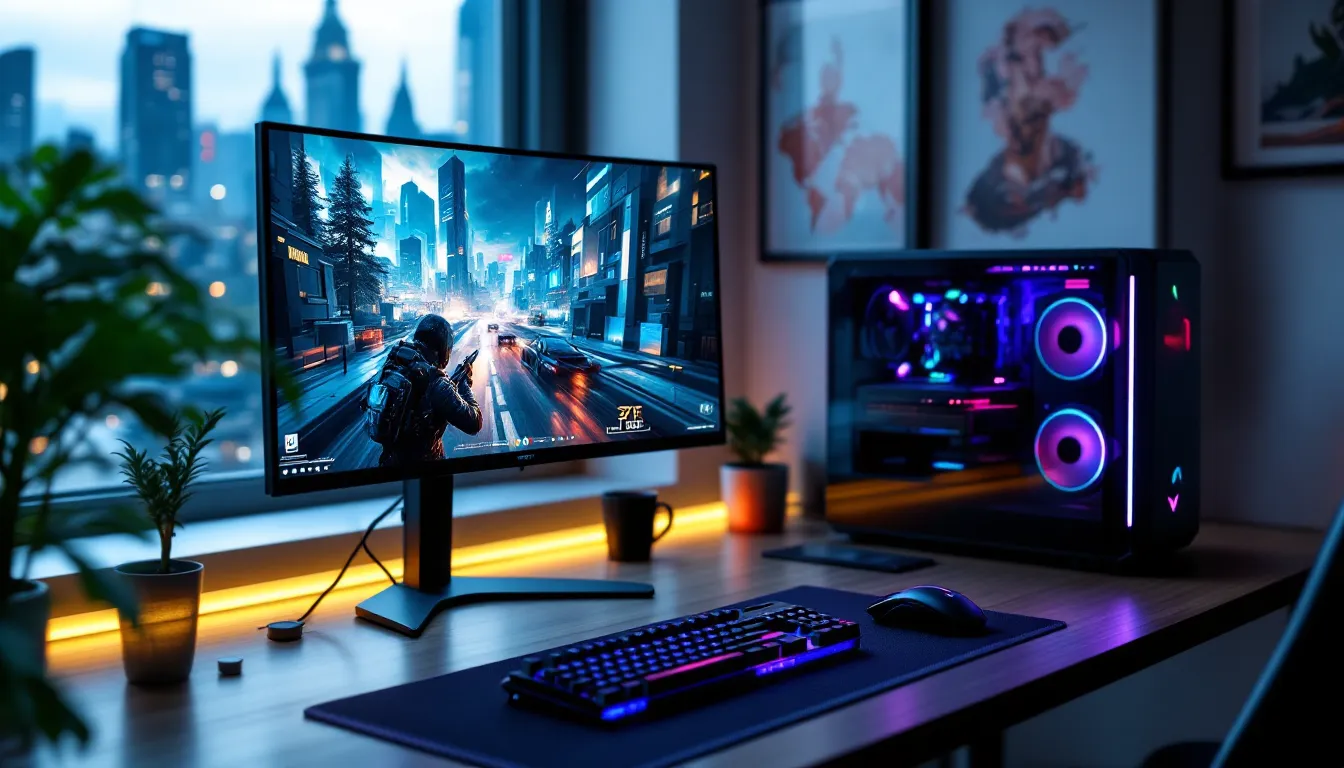

The 27-inch gaming monitor has become the default choice for serious gamers, and AOC’s lineup offers some of the most compelling options at nearly every price point. Whether you’re grinding ranked matches in Valorant, exploring vast open worlds in Elden Ring, or squeezing every frame from your RTX 5070, the right display can make the difference between victory and watching kill cams.
AOC has quietly built a reputation for delivering high-performance panels without the premium tax of brands like ASUS ROG or Samsung Odyssey. Their 27-inch models span from sub-$200 budget beasts to premium AGON displays that compete with anything on the market. But with dozens of SKUs, confusing model numbers, and constant spec wars, finding the right AOC 27-inch gaming monitor means cutting through the marketing noise and focusing on what actually matters for your setup.
Key Takeaways
- The AOC gaming monitor 27 inch offers competitive high-refresh performance at price points significantly lower than premium brands like ASUS ROG and Samsung Odyssey.
- 1440p resolution at 27 inches provides the optimal balance of pixel density, GPU scaling efficiency, and peripheral vision coverage for both competitive and single-player gaming.
- The AGON AG275QXN (1440p/240Hz Fast IPS) and Q27G3XMN (1440p/180Hz VA) are AOC’s top-tier models, with the former excelling in esports and the latter in immersive single-player games.
- Budget models like the 27G2 (1080p/180Hz) deliver solid competitive performance for older GPUs, while quality control inconsistencies mean buying from retailers with strong return policies is advisable.
- Enable adaptive sync, proper overdrive settings, and use native DisplayPort connections to unlock the full potential of your AOC 27-inch display and eliminate screen tearing.
Why 27-Inch Gaming Monitors Are the Sweet Spot for Gamers
The 27-inch form factor isn’t just popular by accident. It’s the result of pixel density, viewing angles, and desk ergonomics converging at a single size.
At 1440p, a 27-inch panel delivers roughly 109 PPI (pixels per inch), which hits the sweet spot where text stays crisp without requiring Windows scaling, and individual pixels don’t become noticeable during gameplay. Drop to 24 inches and you’ll feel cramped in open-world games. Jump to 32 inches and you’re turning your head to check minimaps, a death sentence in competitive shooters.
The physical footprint matters too. Most gaming desks comfortably accommodate a 27-inch display at the recommended 24-30 inch viewing distance, where your peripheral vision captures the entire screen without eye strain. This distance keeps reaction times sharp in fast-paced games where split-second awareness of UI elements and enemy positions makes the difference.
Hardware scaling also favors 27-inch monitors. A 1440p/165Hz panel at this size can be driven by mid-range GPUs like the RTX 4060 Ti or RX 7700 XT without forcing quality compromises. Compare that to 4K gaming at 27 inches, where the visual improvement over 1440p is marginal but the performance hit is brutal. You’d need top-tier silicon to maintain competitive frame rates, and even then, the PPI gains don’t justify the cost for most gamers.
Top AOC 27-Inch Gaming Monitor Models in 2026
AOC’s 2026 lineup has sharpened its focus, offering refined models that address specific gamer needs rather than flooding the market with redundant SKUs.
AOC 27G2 Series: Budget-Friendly Performance
The 27G2 remains AOC’s best-selling gaming monitor for good reason. At around $180-220 (depending on region and sales), it delivers a 1080p IPS panel with 180Hz refresh rate and 1ms MPRT response time.
The value proposition is straightforward: competitive esports performance without the price shock. The IPS panel provides better color accuracy and viewing angles than budget VA alternatives, making it viable for content consumption alongside gaming. FreeSync Premium support (G-Sync compatible) eliminates screen tearing across a wide VRR range (48-180Hz).
Real-world performance aligns with the spec sheet. Input lag measures around 3-4ms at 180Hz, comparable to monitors twice the price. The stand offers tilt and height adjustment, rare at this price point, and VESA mounting is standard.
The compromise? It’s 1080p. At 27 inches, that drops pixel density to 82 PPI. Text sharpness suffers, and you’ll spot jagged edges in games without anti-aliasing. But if you’re running a GTX 1660 Super or RX 6600 and need competitive frame rates, this resolution makes sense.
AOC AGON AG275QXN: Premium QHD Gaming Excellence
The AGON AG275QXN sits at AOC’s premium tier, competing directly with displays like the LG 27GP850 and Dell S2722DGM. Priced around $400-450, it features a 1440p Fast IPS panel running at 240Hz with true 1ms GtG response times.
This is where AOC stops compromising. The Fast IPS technology delivers response times that rival TN panels without sacrificing color accuracy. Factory calibration achieves Delta E < 2 out of the box, and the 95% DCI-P3 coverage makes HDR content pop (though the 400-nit peak brightness keeps it at DisplayHDR 400, not true HDR gaming).
The stand is robust, offering full ergonomic adjustment including pivot for portrait mode. RGB lighting on the back adds flair without being obnoxious, and the Ergo Base design includes a phone holder and headset hanger, small touches that matter during marathon sessions.
At 240Hz, this monitor demands serious GPU horsepower. You’ll want an RTX 4070 or better to push modern AAA titles at high settings, though competitive shooters run beautifully even on older hardware. According to independent testing from Tom’s Hardware, response time consistency across the refresh range outperforms several more expensive alternatives.
AOC Q27G3XMN: Curved Immersion at 180Hz
The Q27G3XMN targets gamers who prioritize immersion over competitive edge. This 1440p VA panel sports a 1500R curve and 180Hz refresh rate for around $280-320.
VA technology delivers the deepest blacks and highest native contrast ratios (typically 3000:1 compared to 1000:1 for IPS). In dark scenes, think Resident Village 4 Remake or Alan Wake 2, the difference is immediately noticeable. The curve wraps the edges toward you, reducing distortion and creating a more enveloping experience in single-player games.
The trade-off comes in response times. VA panels suffer from black-to-gray transitions that can reach 8-12ms, causing ghosting in fast motion. AOC’s MBR (Motion Blur Reduction) helps, but you can’t run it simultaneously with adaptive sync, a choice you’ll make depending on whether you’re playing Cyberpunk 2077 or Counter-Strike 2.
This monitor makes sense for gamers who split time between competitive shooters and story-driven games, or those upgrading from console where high refresh rates and curve deliver a dramatic improvement over TV gaming.
Key Specifications to Consider When Choosing an AOC 27-Inch Monitor
Spec sheets turn into alphabet soup fast. Here’s what actually matters when comparing AOC 27-inch models.
Resolution: 1080p vs. 1440p vs. 4K
1080p (1920×1080) at 27 inches is a trade-off. The 82 PPI means visible pixelation during desktop work and less sharp textures in games. But it’s the easiest resolution to drive, letting budget GPUs hit high refresh rates. Choose this if you’re on older hardware (GTX 1060-tier) or prioritize frame rates over visual fidelity.
1440p (2560×1440) is the sweet spot for 27-inch gaming. At 109 PPI, text is clear, games look sharp, and modern mid-range GPUs (RTX 4060 Ti, RX 7700 XT) can maintain 100+ fps in most titles at high settings. The resolution scales well from competitive shooters to AAA cinematic experiences.
4K (3840×2160) at 27 inches hits 163 PPI, overkill for gaming at normal viewing distances. The visual improvement over 1440p is subtle, but the performance cost is massive. You’d need an RTX 4080 or better to justify it, and even then, most gamers would be better served by 1440p/240Hz for responsive gameplay.
Refresh Rate and Response Time
Refresh rate measures how many times per second the display updates the image. Higher is better for motion clarity and responsiveness.
- 144-165Hz: The baseline for modern gaming monitors. Provides smooth motion in most games.
- 180Hz: The current mid-range standard. Noticeable improvement in fast-paced shooters.
- 240Hz+: Competitive esports territory. The difference from 180Hz is subtle but measurable in pro play.
Response time indicates how quickly pixels transition between colors, measured in milliseconds.
- GtG (Gray-to-Gray): The most common spec. Aim for 4ms or less: 1ms is ideal.
- MPRT (Moving Picture Response Time): Marketing measurement that factors in motion blur reduction. Less reliable than GtG.
Don’t trust manufacturer claims blindly. Detailed analysis from testing platforms like RTINGS reveals actual performance, which often differs from spec sheets. Panel overdrive settings can introduce inverse ghosting at aggressive levels, so real-world testing matters.
Panel Technology: IPS vs. VA vs. TN
IPS (In-Plane Switching) panels offer the best color accuracy and viewing angles. They typically achieve 95%+ sRGB and maintain consistent image quality even when viewed off-center. Modern Fast IPS variants have closed the response time gap with TN panels, making them the all-around choice.
Downsides: Lower contrast ratios (1000:1 typical) and IPS glow in dark scenes. Blacks look grayish compared to VA.
VA (Vertical Alignment) panels deliver superior contrast (3000:1 or higher) and deeper blacks. Excellent for immersive single-player games and HDR content.
Downsides: Slower response times, particularly in dark transitions. Viewing angles are narrower than IPS, causing color shift when viewed off-center.
TN (Twisted Nematic) panels are rare in 2026 outside ultra-budget models. They offer the fastest response times but suffer from poor viewing angles and washed-out colors. Only consider if you’re exclusively playing competitive shooters and need every millisecond of advantage.
Adaptive Sync Technology
Adaptive sync matches your monitor’s refresh rate to your GPU’s frame output, eliminating screen tearing without the input lag of traditional V-Sync.
AMD FreeSync is open-source and built into most AOC gaming monitors. FreeSync Premium adds low framerate compensation (LFC) that maintains smooth performance below the minimum VRR range.
NVIDIA G-Sync Compatible means the monitor passes NVIDIA’s validation for FreeSync displays. Most modern AOC monitors with FreeSync work flawlessly with NVIDIA GPUs, though you won’t get the dedicated G-Sync module found in premium displays.
Check the VRR range. A monitor with 48-180Hz VRR range is more versatile than one with 90-180Hz, as it maintains smooth performance across broader frame rate swings.
Performance Comparison: How AOC Stacks Up Against Competitors
AOC’s value proposition becomes clear when compared directly to similarly specced alternatives from ASUS, LG, and Samsung.
Take the AOC 27G2 against the ASUS VG279Q. Both offer 1080p/180Hz IPS panels, but the ASUS commands a $50-80 premium. In side-by-side testing, response times are nearly identical, and both support adaptive sync with equivalent VRR ranges. The ASUS stand is slightly more robust, but not enough to justify the price gap for most buyers.
At the premium end, the AGON AG275QXN competes with the LG 27GP850 and Samsung Odyssey G5. The LG edges ahead slightly in factory calibration and has better uniformity, but costs $50-100 more. The Samsung offers a VA panel with higher contrast but slower response times. AOC splits the difference: Fast IPS performance at VA-adjacent pricing.
Where AOC trails is in QC consistency. Panel lottery is more pronounced than with LG or Dell, some units have noticeable backlight bleed or dead pixels. AOC’s warranty and return policies are solid, but you’re more likely to need them compared to premium brands.
The reliability data from extended testing by TechSpot shows AOC monitors in the middle of the pack for long-term durability, with failure rates comparable to budget-focused competitors but slightly higher than premium manufacturers. Factor in a few extra dollars for extended warranty if you’re keeping the monitor for 5+ years.
Build quality is functional rather than premium. Bezels are thicker than competing models, plastics feel cheaper, and RGB implementations lack the polish of ROG or Alienware displays. But the panels themselves, the part you actually look at, perform within margin of error compared to monitors costing 30-40% more.
AOC Gaming Features That Enhance Your Experience
Beyond the core specs, AOC includes several features that improve day-to-day gaming quality of life.
Low Input Lag and MBR Technology
Input lag is the delay between your actions and on-screen response. AOC’s gaming monitors consistently measure below 5ms at native refresh rates, putting them in competitive territory.
MBR (Motion Blur Reduction) uses backlight strobing to reduce perceived motion blur, creating sharper images during fast camera movements. It’s effective in single-player games and competitive shooters, but comes with trade-offs: reduced brightness (typically 200-250 nits) and incompatibility with adaptive sync.
Most gamers should prioritize adaptive sync for the tear-free experience, but MBR is worth testing in games where you maintain frame rates above your refresh rate consistently.
G-Menu Software and On-Screen Display
AOC’s G-Menu software lets you adjust monitor settings from Windows without fumbling with physical buttons. You can create game-specific profiles, adjust color temperatures, and toggle features like MBR or shadow boost with a few clicks.
The software is basic but functional, don’t expect the polish of NVIDIA’s G-Sync control panel or LG’s OnScreen Control. It occasionally conflicts with other RGB software, requiring manual launch.
The OSD (On-Screen Display) navigation uses a joystick on most models rather than button arrays, making adjustments quick during setup. AOC includes presets for FPS, RTS, and racing games, though most gamers end up creating custom profiles.
Ergonomics and Build Quality
AOC’s stands offer tilt, swivel, height adjustment, and pivot on mid-range and premium models. Budget options like the 27G2 skip swivel but maintain height adjustment, better than most competitors at that price.
VESA 100×100 mounting is standard across the lineup, making monitor arms and third-party stands easy to integrate.
Cable management is hit-or-miss. Premium AGON models include routing channels in the stand, while budget versions rely on a simple clip that barely holds cables in place.
The physical build uses mostly plastic construction. It doesn’t feel cheap, but it won’t impress if you’re coming from a premium aluminum-chassis monitor. Bezels are functional rather than minimal, expect 8-12mm on three sides with a slightly thicker bottom bezel.
Best AOC 27-Inch Monitors for Different Gaming Genres
The right AOC monitor depends heavily on what you actually play.
Competitive FPS and Esports Gaming
For Valorant, CS2, Apex Legends, and Rainbow Six Siege, prioritize refresh rate and response time over resolution.
Best pick: AOC AGON AG275QXN (1440p/240Hz Fast IPS)
The 240Hz refresh rate delivers measurable advantage in reaction-based gunfights. The 1ms GtG response eliminates ghosting during flick shots, and the 1440p resolution provides sharper visuals for spotting distant enemies without the performance hit of 4K.
If budget is tight, the 27G2 (1080p/180Hz) drops resolution but maintains competitive response times. The performance difference between 180Hz and 240Hz is noticeable but not game-breaking unless you’re competing at high ranks.
Key settings: Disable MBR, enable adaptive sync, and use the FPS preset with reduced contrast for better shadow detail in dark corners.
RPG and Open-World Adventures
For Elden Ring, Cyberpunk 2077, The Witcher 3, and Baldur’s Gate 3, visual fidelity and immersion trump raw refresh rates.
Best pick: AOC Q27G3XMN (1440p/180Hz Curved VA)
The VA panel’s 3000:1 contrast ratio brings dark dungeons and night scenes to life with proper black levels. The 1500R curve wraps peripheral vision, increasing immersion during long exploration sessions. 180Hz is overkill for these titles, most target 60-90 fps, but provides headroom for lighter indie games and future AAA titles with better optimization.
Key settings: Enable HDR (if supported by the game), use the racing/RPG preset for saturated colors, and consider enabling MBR in 60fps-locked games for sharper motion.
Console Gaming on PC Monitors
PS5 and Xbox Series X players looking for a desk setup need specific features.
Best pick: AOC Q27G3XMN (1440p/180Hz Curved VA)
Current-gen consoles support 1440p/120Hz output, making this monitor’s specs perfectly aligned. The VA panel’s contrast enhances console games designed for OLED TVs, and the built-in speakers (basic but functional) eliminate the need for external audio if you’re using a headset.
Critical: Verify the monitor supports HDMI 2.0 or better (all recent AOC models do). Some older monitors won’t accept 1440p/120Hz over HDMI, forcing you into 1080p.
The AGON AG275QXN works too, but the 240Hz capability is wasted since consoles max out at 120Hz. Save the $100+ price difference unless you’re also gaming on PC.
Setting Up and Optimizing Your AOC Gaming Monitor
Unboxing and physical setup is straightforward, but optimization makes the difference between adequate and excellent performance.
Cable selection matters. Use the included DisplayPort cable for PC gaming to access full refresh rate and adaptive sync. HDMI 2.0 works for console gaming but caps at 144Hz on some monitors. Never use HDMI 1.4 cables, they max out at 1080p/144Hz or 1440p/75Hz.
Initial calibration: Out of box, most AOC monitors skew toward cool color temperatures (6500K+) with oversaturated colors. Set the color temperature to “User” or “Warm” and reduce digital vibrance to 45-50 for more accurate colors. Brightness around 250 nits (typically 60-70% setting) works for mixed lighting conditions.
Enable adaptive sync in both monitor OSD and GPU control panel (NVIDIA Control Panel or AMD Adrenalin). Verify it’s active using the monitor’s info display during gameplay, you should see the refresh rate fluctuating to match frame output.
Response time settings: AOC includes overdrive settings (Off/Weak/Medium/Strong). Start at Medium and watch for inverse ghosting (bright halos trailing moving objects). If visible, drop to Weak. Strong is almost always too aggressive.
Game mode presets are a starting point, not gospel. The FPS preset typically boosts blues and reduces contrast for better visibility in dark areas. The Racing preset saturates colors. Start with the relevant preset, then tweak from there based on personal preference.
Windows optimization: Set the display to native resolution and enable 10-bit color if your GPU supports it (requires DisplayPort). In Windows 11, enable “Hardware-accelerated GPU scheduling” in Graphics Settings for slightly lower latency.
Run the UFO Test online to verify response times and check for screen tearing. The ghosting test reveals whether your overdrive setting is appropriate, and the frame skipping test confirms your refresh rate is actually delivering smooth frames.
Common Issues and Troubleshooting Tips
Even well-designed monitors hit snags. Here’s how to fix the most common problems.
No signal/blank screen: Verify the input source matches your cable (DisplayPort vs. HDMI). If using DisplayPort, reseat both ends, the connection is more finicky than HDMI. Try a different cable if possible: cheap DP cables fail more often than you’d expect.
Refresh rate locked at 60Hz: In Windows, right-click desktop > Display Settings > Advanced Display > choose your monitor > set refresh rate manually. If it doesn’t show higher options, you’re using the wrong cable or port. Some monitors require enabling “overclock mode” in the OSD to access 180Hz+.
Adaptive sync not working: Enable it in both monitor OSD and GPU control panel. For NVIDIA GPUs, go to Control Panel > Set up G-Sync > enable for windowed and fullscreen. Restart after enabling. If it still doesn’t work, update GPU drivers, older versions sometimes fail to recognize FreeSync monitors as G-Sync compatible.
Excessive ghosting: Lower the overdrive/response time setting. VA panels especially suffer from aggressive overdrive causing inverse ghosting. If ghosting persists at lowest overdrive, the panel may be defective, contact AOC support.
Backlight bleed: Some IPS glow is normal, the edges appear brighter in dark scenes when viewed straight-on. Excessive bleed (bright spots visible in normal content) warrants an RMA. Take photos in a dark room displaying a black image and contact AOC: they’re usually good about replacements.
Flickering with adaptive sync: Indicates the frame rate is dropping below the monitor’s VRR minimum range. If your monitor supports 48-180Hz but your game is hitting 35-45 fps, you’ll see flicker. Enable in-game frame limiters to stay above 48fps, or reduce graphics settings.
Dead/stuck pixels: One or two dead pixels fall within acceptable manufacturing tolerances (unfortunately). More than three within a small area typically qualifies for warranty replacement. Try running pixel-fixing videos (rapidly flashing colors) for 30+ minutes, it sometimes unsticks stuck pixels, though dead ones won’t revive.
OSD won’t respond: Unplug the monitor from power for 30 seconds, then reconnect. This resets the OSD controller. If physical buttons are unresponsive, they may be defective, RMA territory.
Conclusion
AOC’s 27-inch gaming monitor lineup delivers competitive performance at price points that undercut premium brands without sacrificing the specs that actually matter. The 27G2 proves you don’t need $400 to get responsive, high-refresh gaming. The AGON AG275QXN shows AOC can compete at the enthusiast tier when they choose to. And the Q27G3XMN offers immersive curved VA performance for gamers who value contrast and atmosphere.
Choosing between them comes down to your GPU, your games, and your budget. Competitive players on mid-range hardware should prioritize refresh rate and response time. Single-player enthusiasts benefit from VA contrast and curve. Console gamers need HDMI 2.0 and 120Hz support.
The quality control inconsistencies are real, you might get backlight bleed or need to exchange a unit. But at these prices, the value proposition holds even if you have to deal with one return. Just buy from retailers with solid return policies, and you’re covered.
As display technology pushes toward OLED and MiniLED in 2026, AOC’s traditional LCD panels represent proven, reliable tech without the burn-in risks or eye-watering price tags. For most gamers, that’s exactly the right trade-off.